Engagement Analytics
See attention and engagement in real time
Mental Wellbeing
Engagement signals — never a diagnosis
Exam Activity Review
A record of what happened during the exam, for the teacher to check
Privacy by Design
No real names required
Why Focuspang?
Before you start
Check the installation guide for supported operating systems, versions and permissions for each feature.
Password-Free Student Login
Students log in with a number and a username — no passwords to reset. Real names aren't required, and nicknames are fine.
Connection and setup requirements
A stable internet connection is required. Apps, extensions and updates may also be needed depending on the feature and device.
Device-based policies
What Focuspang can block depends on the device and the permissions it has been given. Results can differ with the school network and device settings.
How Focuspang Empowers Teachers and Students
Exam Activity Review
Focuspang helps teachers review what was recorded during an exam. What gets captured depends on the device, the permissions granted, and your exam settings.
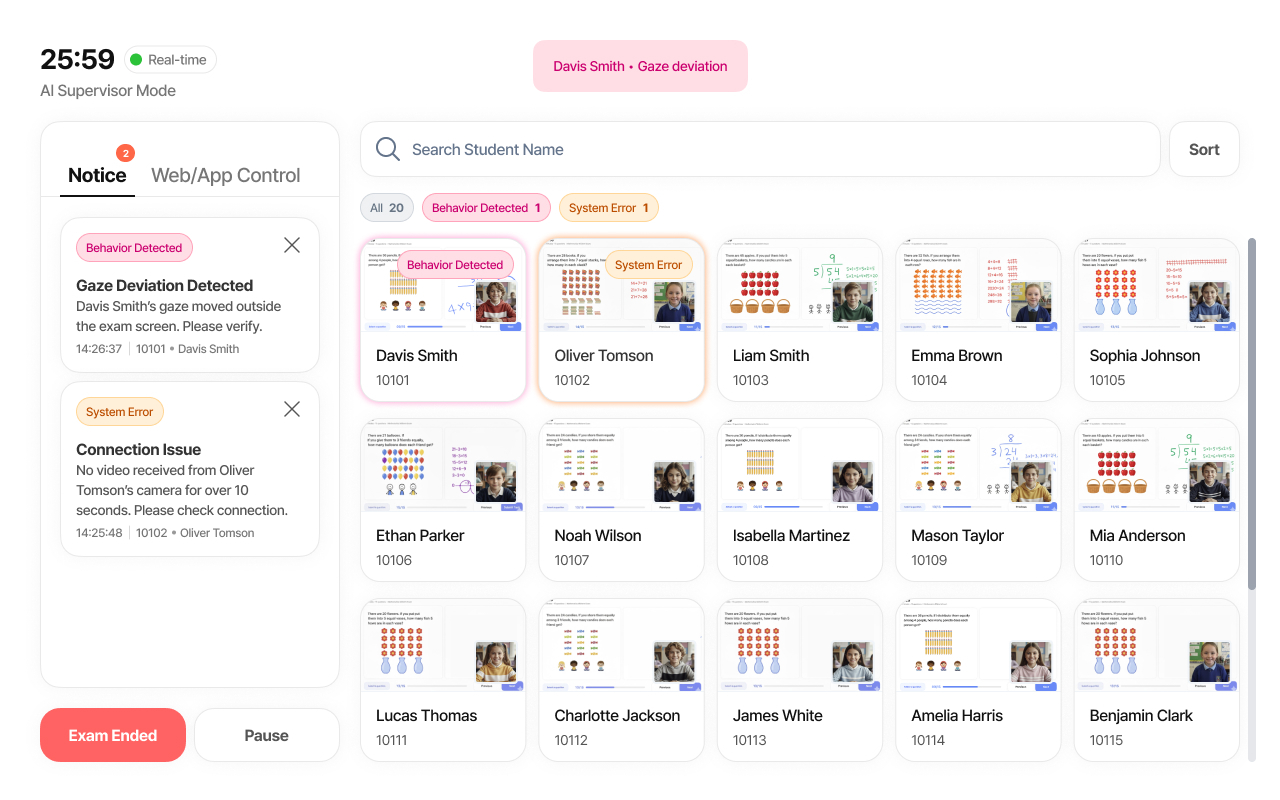
Review classroom records and reference information
Review the results together with what you saw in class. A missing record tells you nothing about a student — it only means nothing was captured.
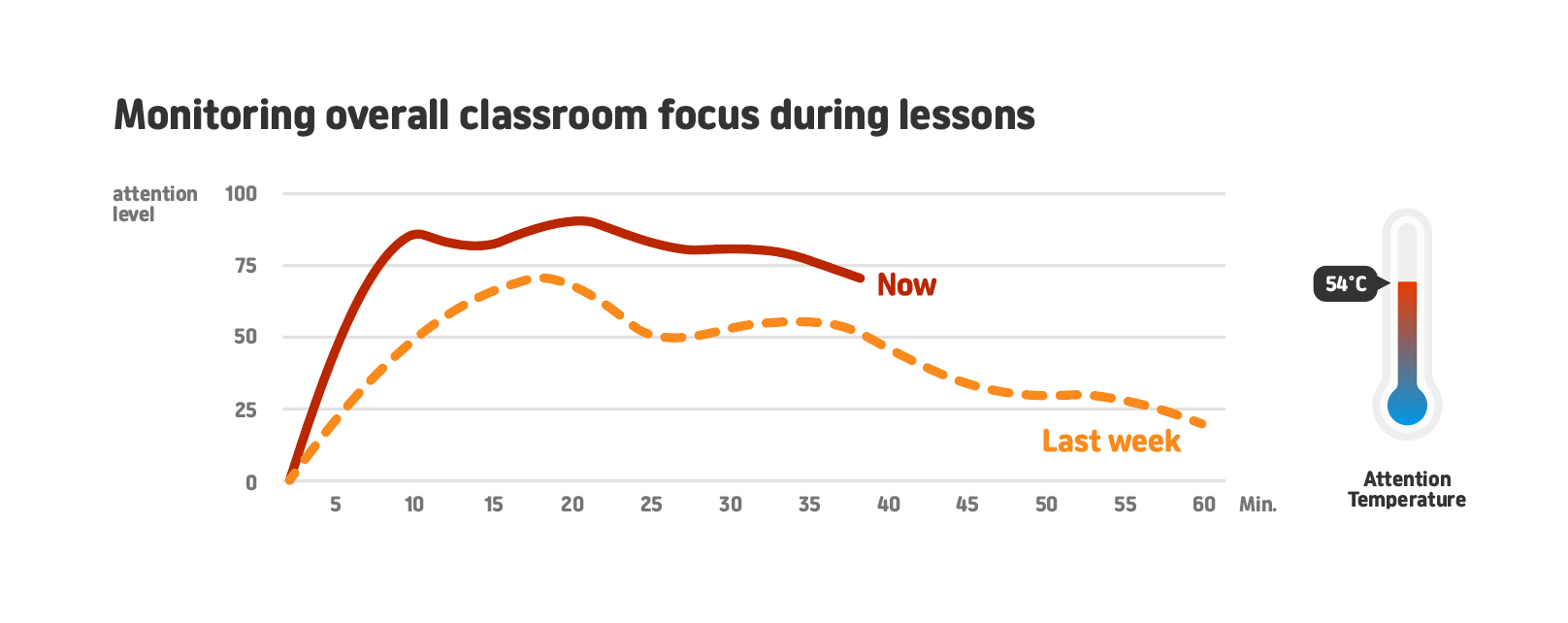
Review attention-related information in context
The screen below is an example. These results are signals, not conclusions about a student, and a teacher should always review them.
Green border: on task
Yellow border: worth a look
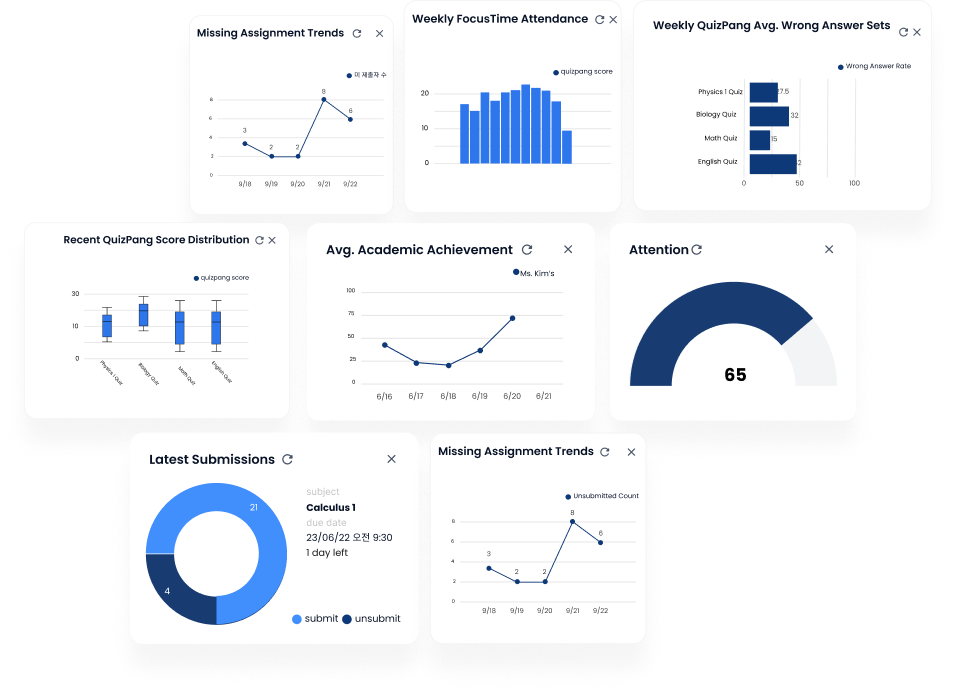
Learning Analytics Dashboard
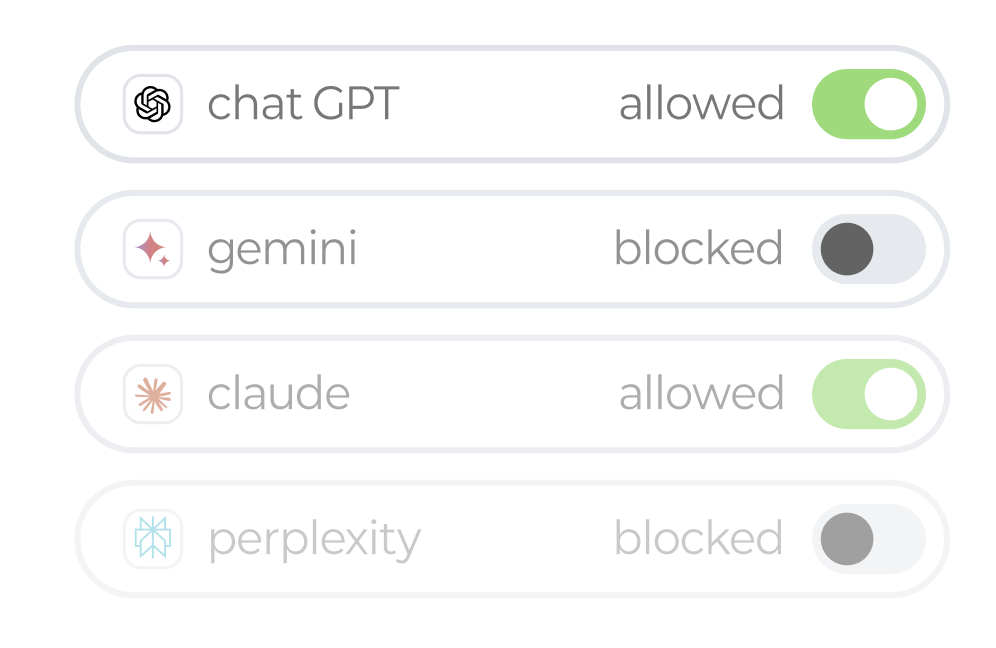
App & Website Controls
Choose apps and websites for the lesson.
Set usage policies within supported device capabilities and granted permissions.